
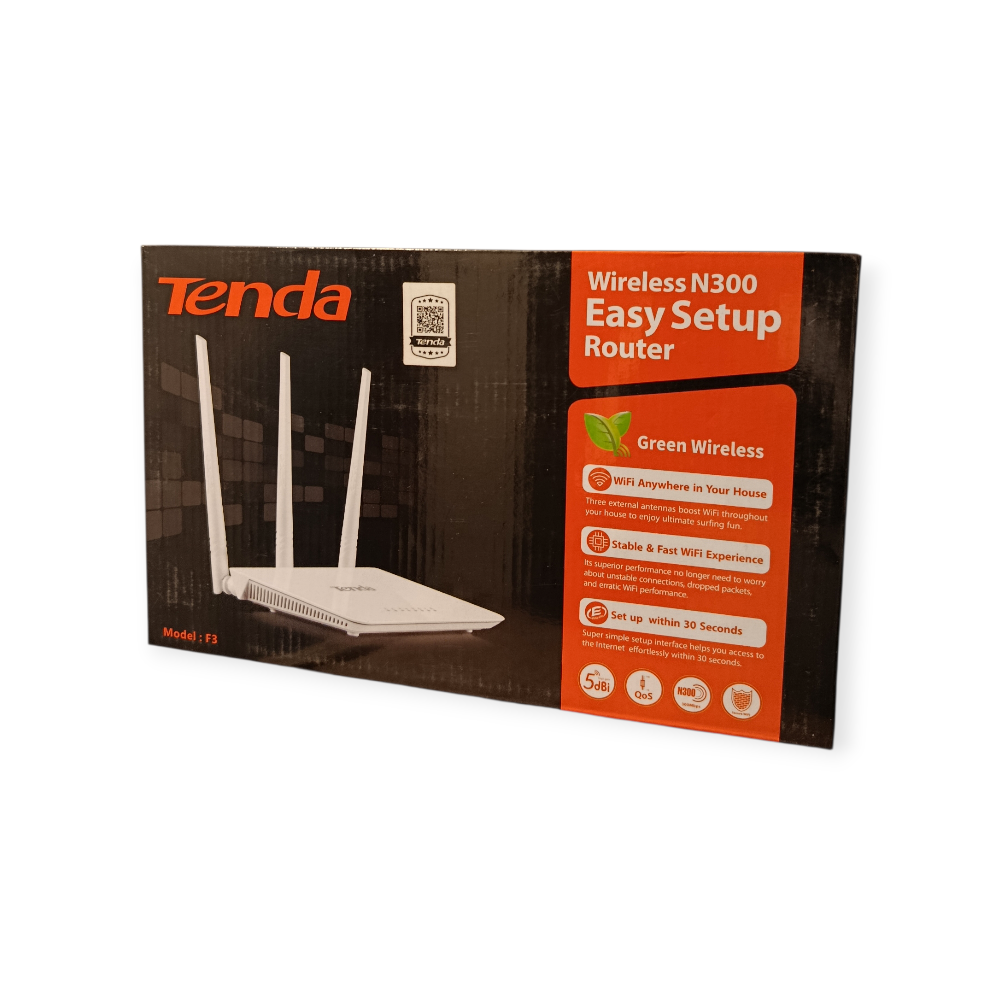
Tenda F3 WiFi Router – 300Mbps Wireless Networking
The Tenda F3 WiFi Router is a wireless router designed to provide internet connectivity for homes and small offices. It supports wireless speeds of up to 300Mbps on the 2.4GHz band, making it suitable for everyday activities such as browsing, email, online learning and connecting compatible devices to a shared network.
Featuring three external 5dBi antennas, one WAN port and three LAN ports, the Tenda F3 offers both wireless connectivity and wired networking options. It is a practical choice for users who need a straightforward router for everyday internet access.
Key Features of the Tenda F3 WiFi Router
- Up to 300Mbps wireless speed: Supports Wi-Fi on the 2.4GHz frequency band.
- Three external 5dBi antennas: Designed to support wireless signal coverage.
- One WAN port: Connects to a compatible modem or Ethernet internet source.
- Three LAN ports: Connect compatible computers and other wired network devices.
- Multiple operating modes: Supports router, access point, universal repeater and WISP modes.
- Wireless security: Supports WPA/WPA2 security options.
- WPS/Reset button: Provides access to supported wireless setup and reset functions.
Where Can You Use the Tenda F3 WiFi Router?
Home internet connectivity: Share an internet connection with compatible smartphones, laptops, tablets and other Wi-Fi devices.
Small offices: Connect wireless devices while using the LAN ports for compatible wired equipment.
Online learning and browsing: Support everyday internet activities, including accessing educational websites, emails and online resources.
Wired networking: Connect desktop computers and other Ethernet-enabled devices through the LAN ports.
Network extension: Use supported access point or repeater modes where suitable for your network configuration.
Actual Wi-Fi performance depends on the internet connection, router placement, building materials, interference and the capabilities of connected devices.
Tenda F3 WiFi Router Specifications
| Specification | Details |
|---|---|
| Brand | Tenda |
| Model | F3 |
| Product type | Wireless Wi-Fi router |
| Maximum wireless rate | Up to 300Mbps |
| Wi-Fi frequency | 2.4GHz |
| Wireless standard | IEEE 802.11b/g/n |
| Antennas | 3 external 5dBi antennas |
| WAN port | 1 × 10/100Mbps |
| LAN ports | 3 × 10/100Mbps |
| Operating modes | Router, AP, Universal Repeater, WISP |
| Security | WPA/WPA2 and supported PSK options |
| Power input | DC 9V, 0.6A |
Specifications are based on published Tenda F3 product information. Confirm the hardware revision supplied if exact revision-specific details are important.
How to Set Up the Tenda F3 WiFi Router
- Connect the router to its compatible power adapter.
- Connect your internet source to the WAN port.
- Connect a computer through a LAN port or connect to the router’s Wi-Fi.
- Open the router’s configuration interface and select the settings required by your internet provider.
- Set your Wi-Fi network name and password, then test the connection.
Your internet provider may require specific settings, such as a PPPoE username and password. Follow the provider’s instructions if these are required.
For manufacturer information, firmware and support resources, visit the official Tenda F3 support page.
Why Choose the Tenda F3 WiFi Router?
The Tenda F3 combines 2.4GHz wireless networking, three external antennas and Ethernet connectivity in one router. Its combination of wireless and wired connections makes it useful for everyday home networking and small-office setups.
When choosing a router, consider your internet package, the number of connected devices, the size and layout of your space, and whether you need 5GHz Wi-Fi. The Tenda F3 is a 2.4GHz model, not a dual-band router.

 No products in the cart.
Reviews
There are no reviews yet.